This is a special post for quick takes by RobertM. Only they can create top-level comments. Comments here also appear on the Quick Takes page and All Posts page.
Comment Permalink
@Raemon and I have shipped some improvements to the editor experience.
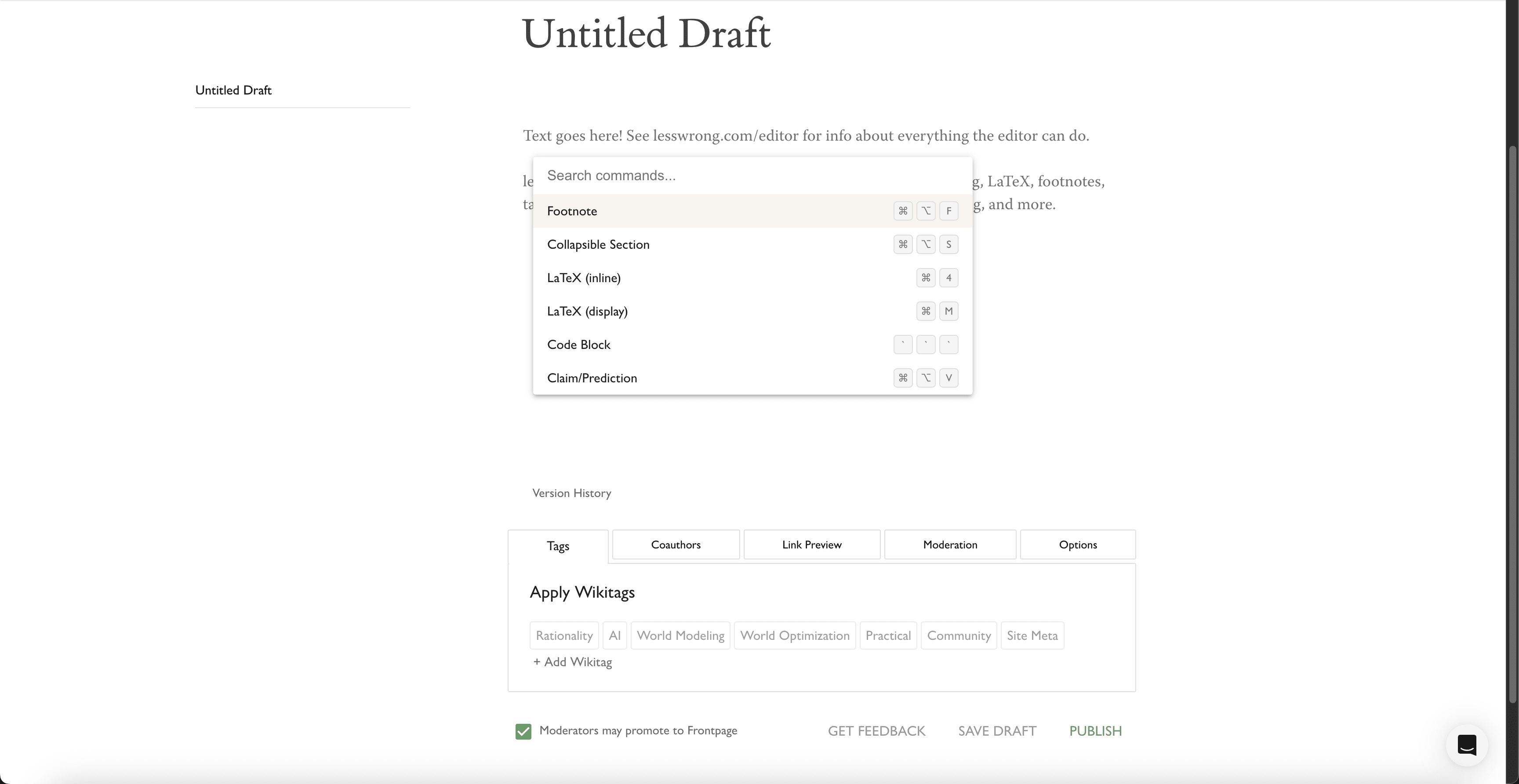
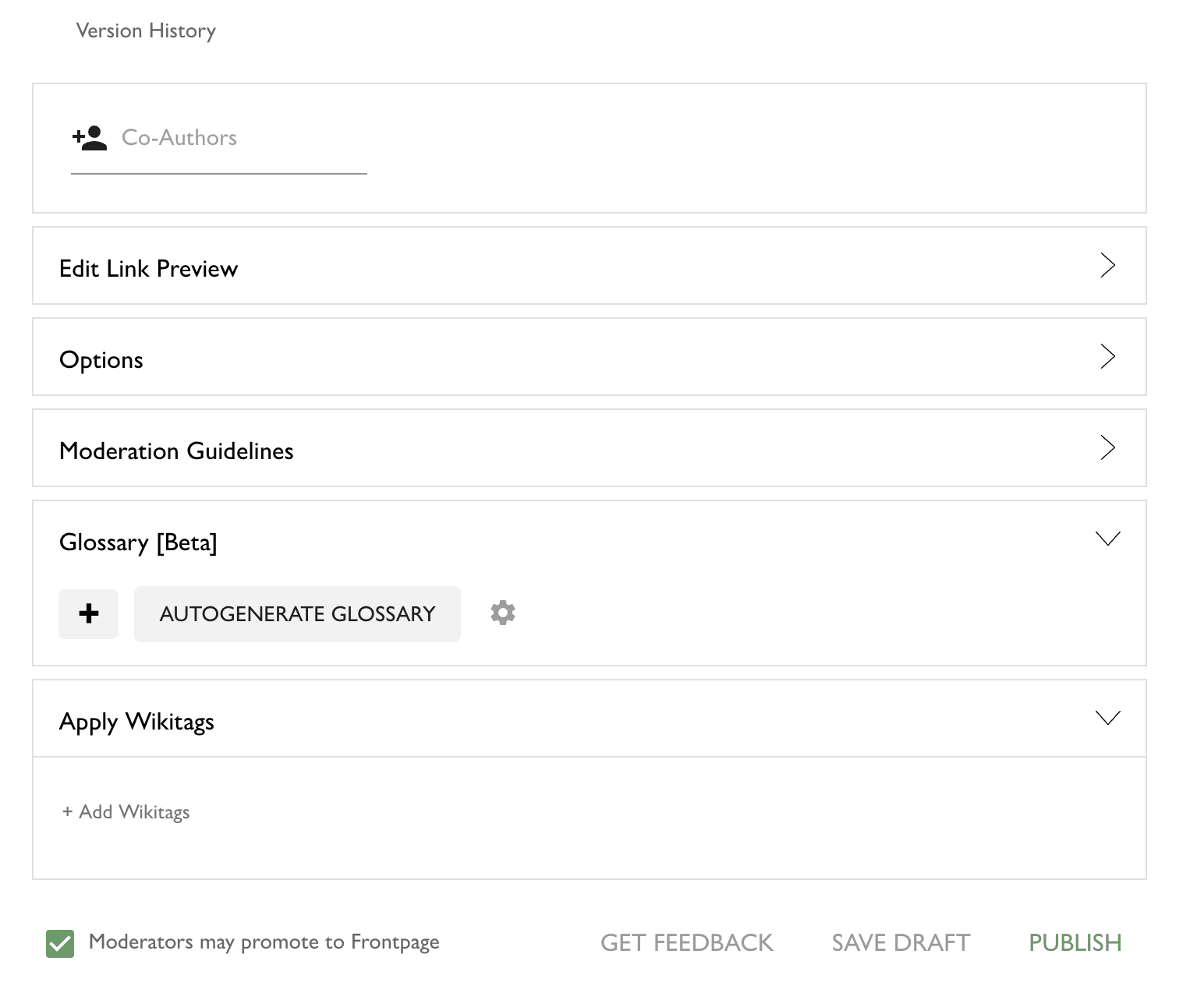
The two major changes displayed above are:
@Raemon cleaned up the options at the bottom of the editor. They used to look like this:
- I implemented a basic command palette, available both in the post and comment editor. To open it, press
ctrl/cmd + shift + p(same as the VSCode keybinding), orctrl/cmd + /, because the first keybinding is "open an incognito window" on Firefox. The goal is to improve the discoverability and accessibility of various editor features, some of which previously required you to open the toolbar to use.
It behaves the same way as most other command palettes -escto exit, up/down arrow to cycle,enterto execute the selected command, and also shows you the native keybindings for executing any given command.
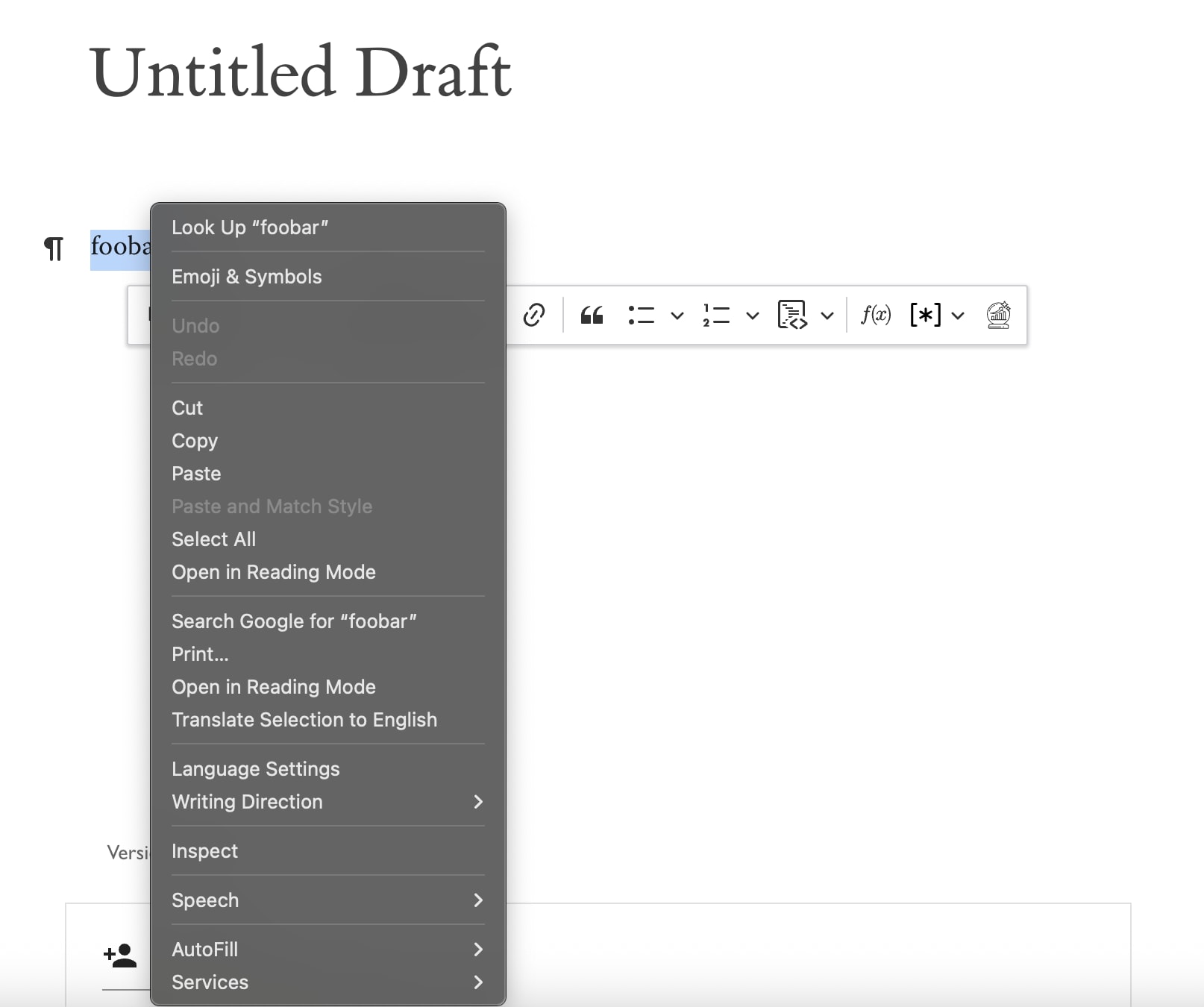
Another minor QoL improvement is the right-click behavior in the editor. Previously, the only reliable way to open the inline toolbar was to manually highlight some text. If you tried to right-click to open the toolbar, this would happen to you:
Now it's this:
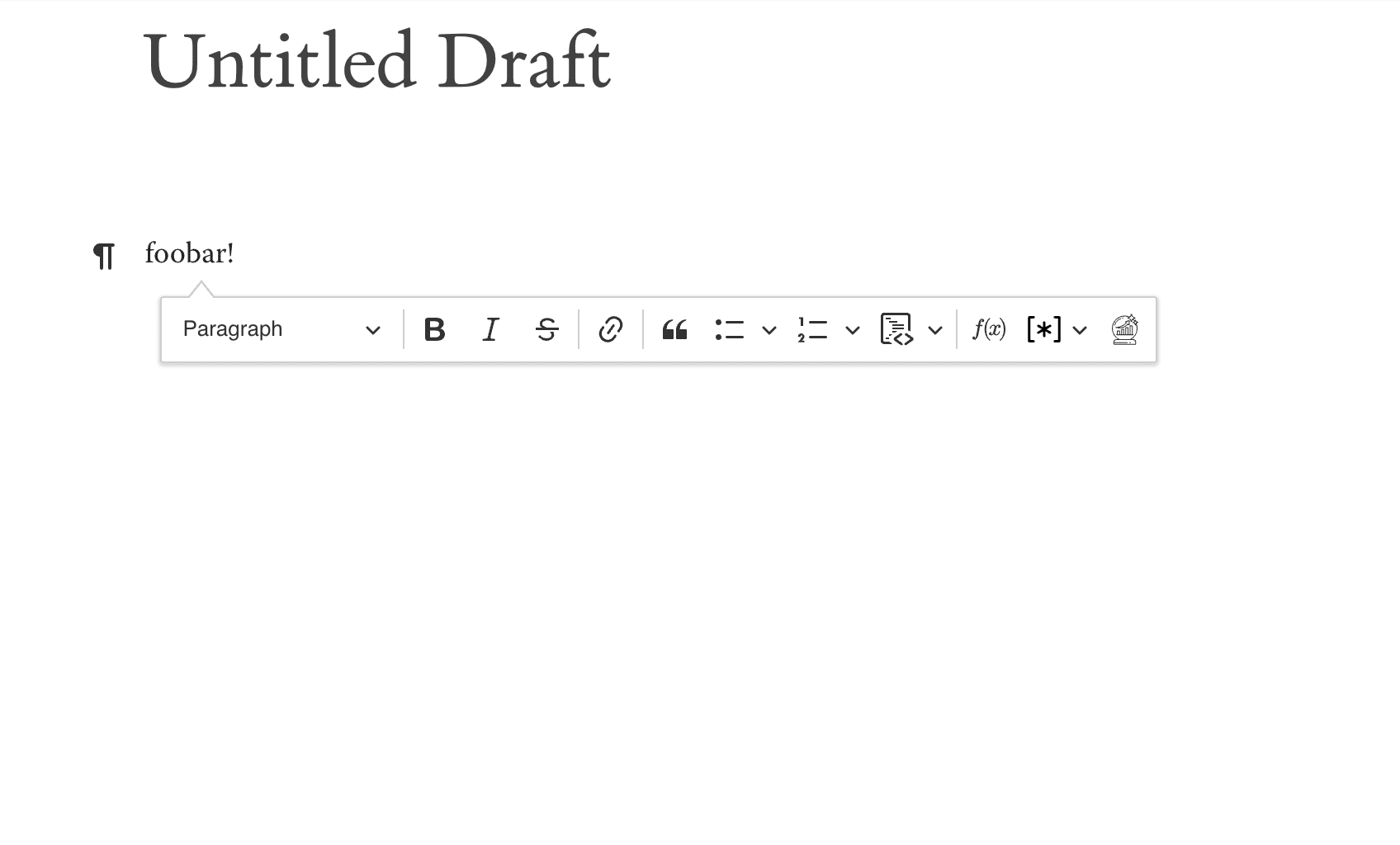
(Note that most of the functionality inside of the toolbar is either trivial or available more easily via the command palette - I guess it's now easier to convert something to a heading, block quote, or list?)
As always, let us know if you run into problems, or have other thoughts on the changes.
 1