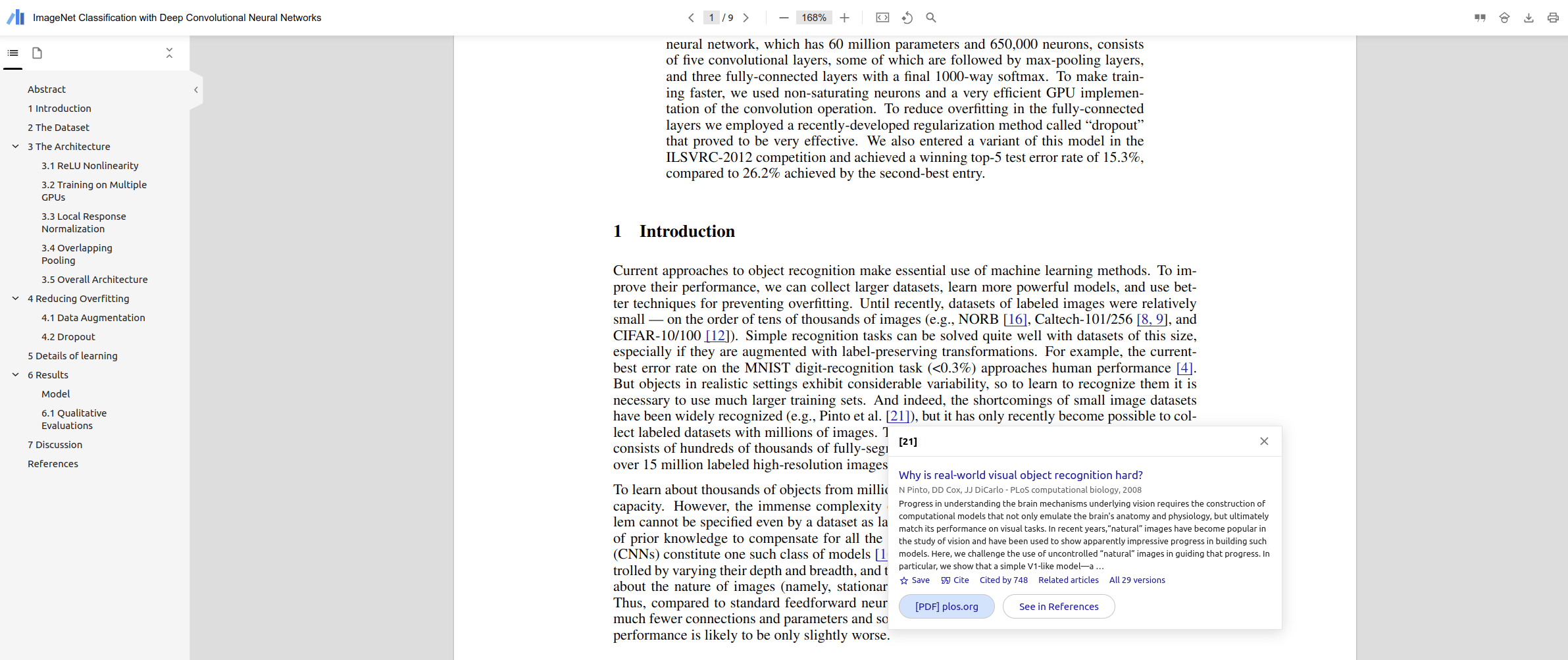
This is a special post for quick takes by Leon Lang. Only they can create top-level comments. Comments here also appear on the Quick Takes page and All Posts page.
I think the Zotero PDF reader has a lot of similar features that make the experience of reading papers much better:
It has a back button so that when you click on a reference link that takes you to the references section, you can easily click the button to go back to the text.
There is a highlight feature so that you can highlight parts of the text which is convenient when you want to come back and skim the paper later.
There is a "sticky note" feature allowing you to leave a note in part of the paper to explain something.
This is great, love it! Settings recommendation: If you (or your company) want, you can restrict the extension's access from all websites down to the websites you read papers on. Note that the scholar.google.com access is required for the look-up function to work.
3Stephen Fowler
Just started using this, great recommendation. I like the night mode feature which changes the color of the pdf itself.